Full-Field Modal Analysis: Plan, Measure, Validate and Export

Full-field modal analysis

Plan the measurement. Validate the model.

A practical Q2 workflow for turning a planned coverage strategy, synchronized vibration data and geometry into a measurement package ready for review, export and correlation with a mechanical model.

Start with the engineering question: identify the modes, locations and response directions to resolve. Plan the views, measure the response and deliver a validated dataset with its test geometry.

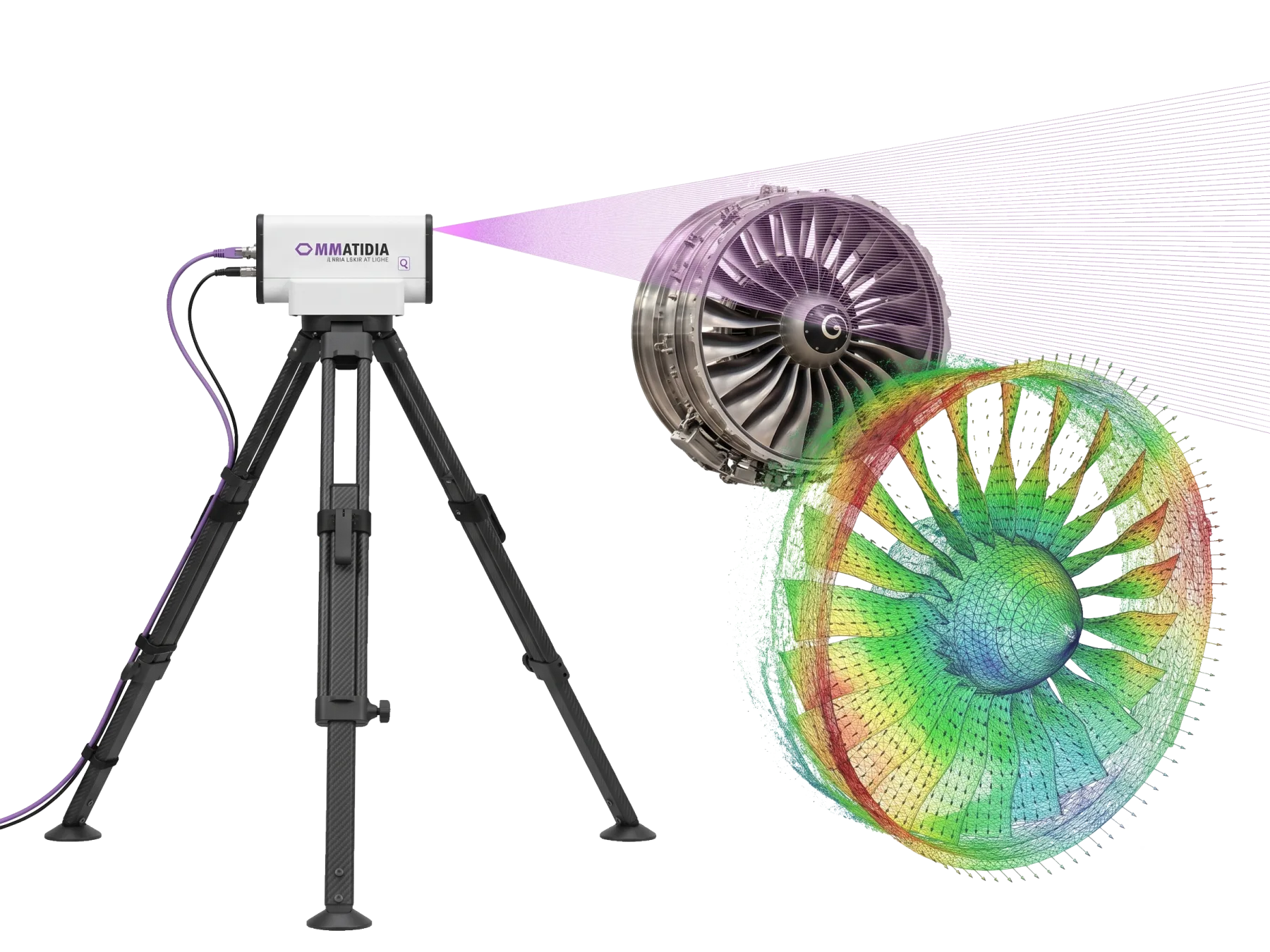
Ommatidia Laser RADAR measuring an aerospace turbine with a full-field scan

Connect modal parameters to the measured structure

Experimental modal analysis uses measured frequency response functions (FRFs) to estimate natural frequencies, damping and mode shapes. Keep the excitation reference, test geometry, response directions and signal-quality information associated with the data.

The geometry-linked handoff supports mode-shape review, FRF comparison, MAC, COMAC and model updating.

Simulate before you measure

From coverage planning to model correlation

Use prior simulation, operating knowledge or a preliminary test to choose viewpoints and spatial density. Resolve the structural response that matters to your validation decision.

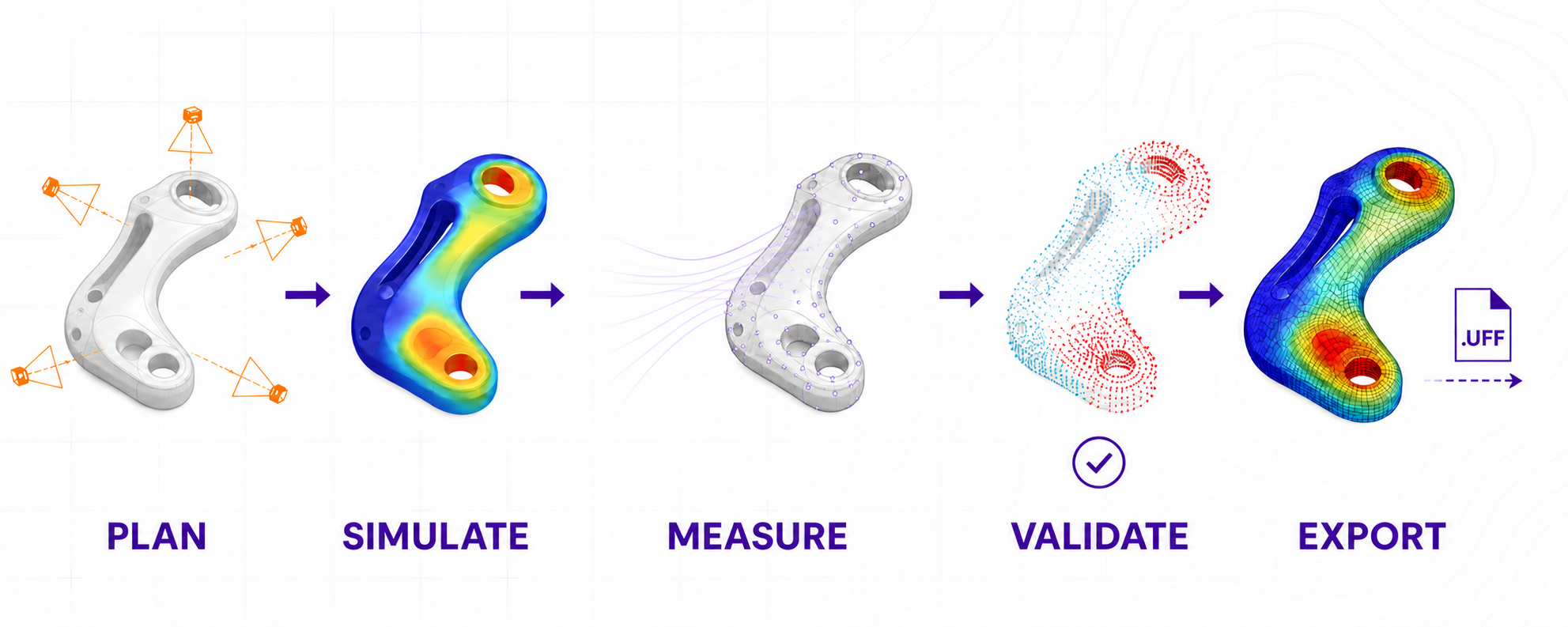
Five-stage full-field modal analysis workflow: plan, simulate, measure, validate and export

1. Plan coverage

Define the frequency range, test geometry, response directions, expected mode complexity and force or operational reference.

2. Simulate

Use a model or prior response to optimize viewpoints and represent the structural response with the planned coverage.

3. Measure

Capture registered geometry and synchronized non-contact velocity data alongside the reference channels.

4. Validate

Review signal quality, spectra, repeatability and spatial response to prepare the dataset for analysis.

5. Export & correlate

Transfer geometry, directions, waveforms and FRFs to the modal or FE workflow in a connected UFF package.

Choose the analysis path for your test

Use force-referenced excitation for experimental modal analysis, or operating and ambient response for operational modal analysis. Choose the route around your structure and the engineering decision.

Experimental modal analysis (EMA)

Use a measured force reference from an impact hammer or shaker to calculate FRFs. Curve fitting estimates modal frequency, damping and mode shapes for direct model comparison.

Operational modal analysis (OMA)

Use operating or ambient response to identify modal behaviour. OmmViewer’s beta PyOMA2 workflow supports Frequency Domain Decomposition for reviewing mode candidates against the recorded geometry.

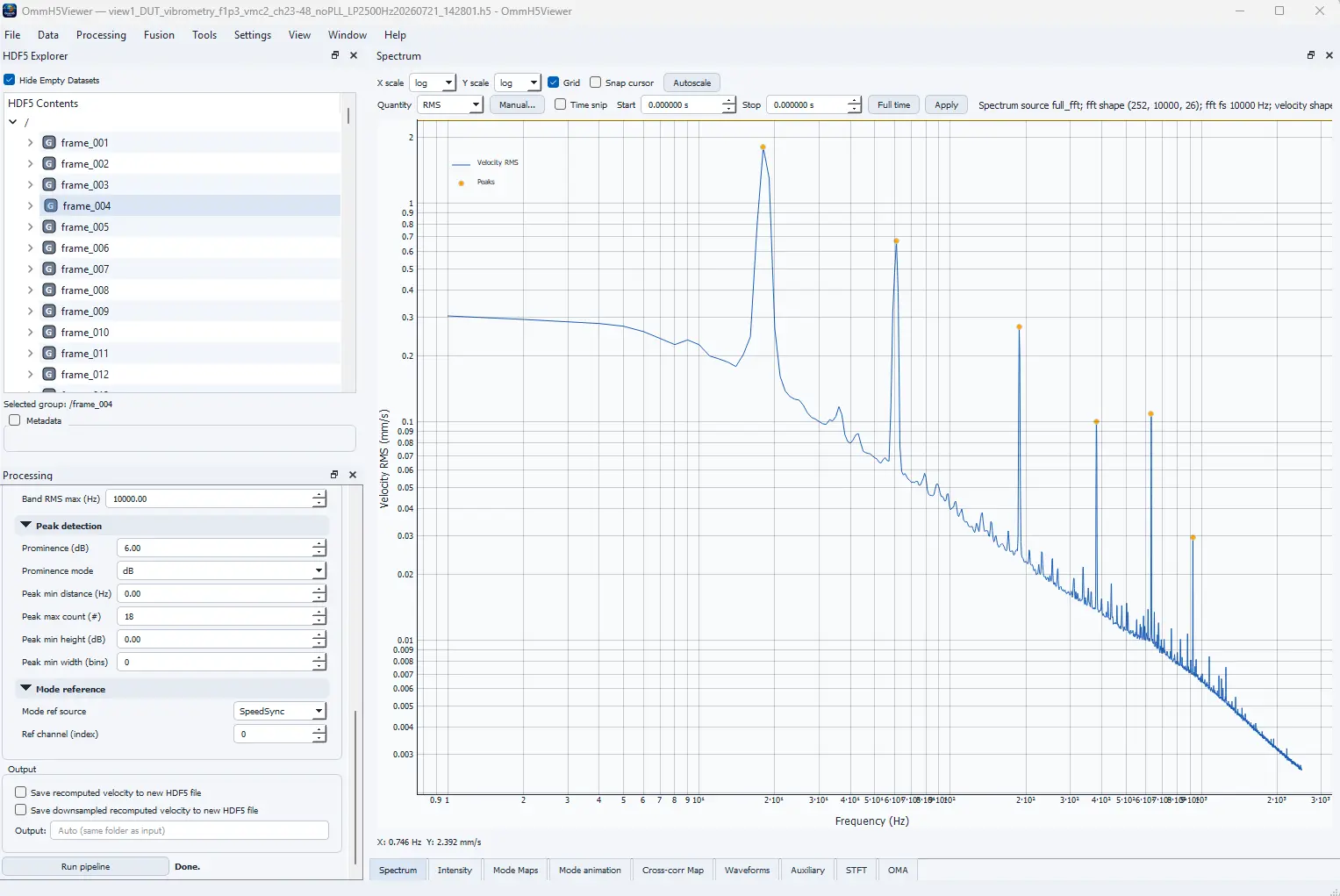
OmmViewer spectrum
Review the dataset before the handoff

OmmViewer connects analysis to the recorded Q-Series measurement

Atelier captures the Q-Series HDF5 dataset. OmmViewer lets you inspect frames, channels and metadata, isolate frequencies of interest, review spectra, spatial response and mode animation, and prepare the engineering export.

Validate before exporting

Examine spectra, detected peaks, intensity diagnostics, point-cloud-aware views and mode animations in their measurement context.

Export the connected test model

Geometry-linked UFF streamlines correlation

Ommatidia’s UFF handoff keeps XYZ geometry, tri-axial velocity waveforms and FRFs tied to the same measurement points and directions. Import the connected test model into your team’s modal-analysis or correlation environment.

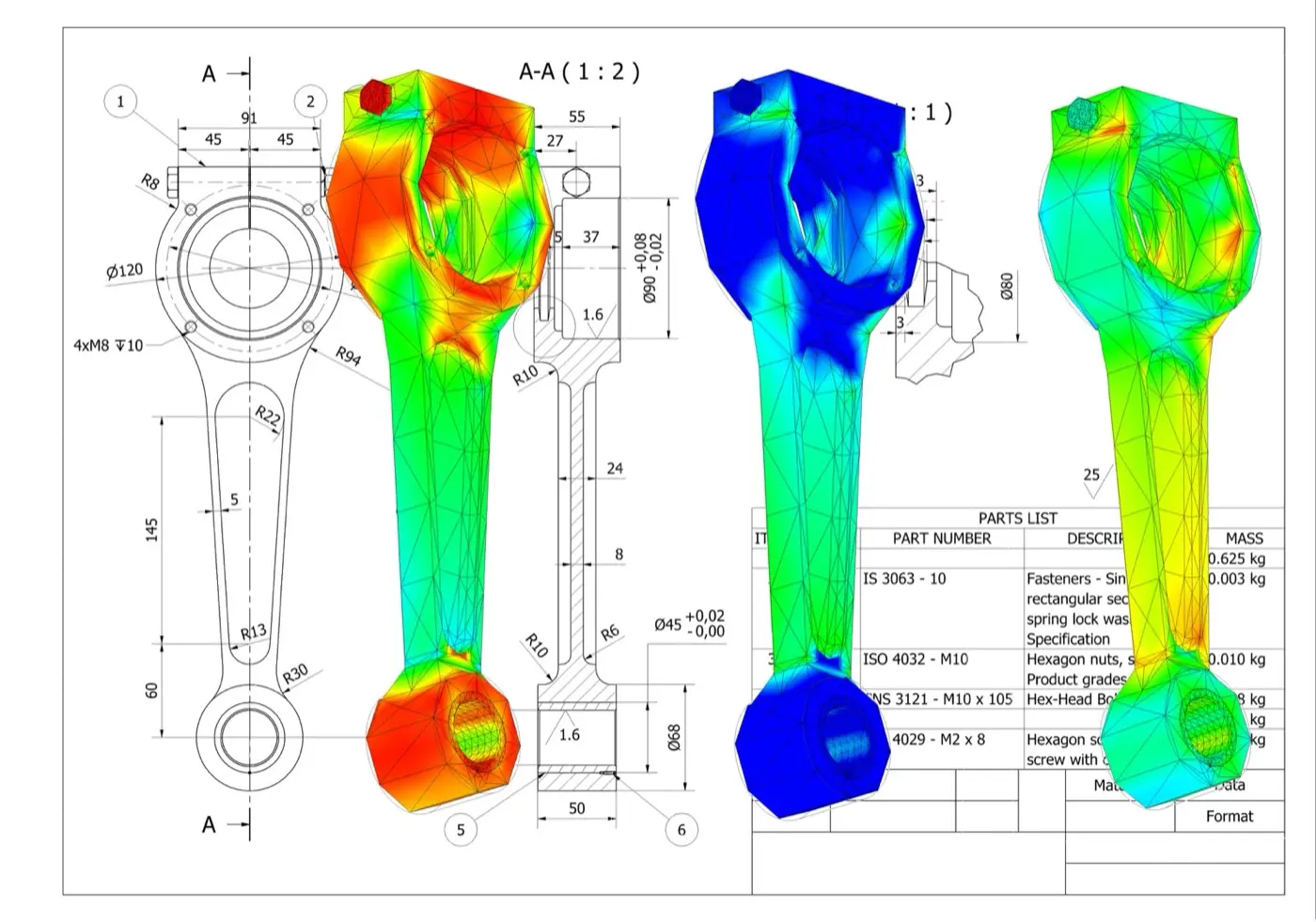
model validation fea contours

Focus the next model iteration: use measured differences to review joints, boundaries, material properties and local stiffness.

What stays connected

Coordinates, response directions, dynamic waveforms and FRFs arrive together, ready for mode-shape animation, FRF overlays, MAC, COMAC and model updating.

Prepare the result for your engineering decision

Review measurement quality, modal identification and model correlation to accept a model, investigate a measured difference or plan the next design iteration.

Measurement quality

Review excitation or operational reference, signal quality, repeatability, frequency range and spatial coverage of the expected response.

Modal identification

Review FRFs or operational spectra, identify modal peaks and examine mode shapes, frequency and damping estimates.

Model correlation

Compare measured and predicted response using your team’s criteria, including FRF overlays, MAC, COMAC and the model’s boundary conditions.

Build the modal test around your structure

Share your structure, frequency range, excitation method, measurement viewpoints and analysis workflow. We will help define coverage, reference channels and data handoff for your modal-validation task.

Full-field modal-analysis questions

Keep the excitation, geometry, directions and response data connected from planning through model correlation.

What does experimental modal analysis estimate?

Experimental modal analysis uses measured frequency response functions to estimate natural frequencies, damping and mode shapes. Q2 keeps the excitation or operational reference, registered test geometry, response direction and synchronized full-field data connected throughout the analysis.

What are the five stages of this full-field workflow?

The workflow plans the required coverage, selects viewpoints from simulation or prior response, measures registered geometry and synchronized velocity with reference channels, validates the dataset, then exports and correlates the test model.

What does the UFF handoff contain?

The Ommatidia UFF handoff keeps XYZ geometry, response directions, velocity waveforms and frequency response functions associated with the same measurement points. This supports mode-shape review, FRF overlays, MAC, COMAC and model updating without rebuilding geometry and channel relationships by hand.

How does the 20-minute workflow accelerate modal analysis?

A focused Q2 workflow can move from setup to a full-field modal dataset in about 20 minutes by acquiring 65 vibration channels simultaneously, registering response to measured geometry and exporting the connected UFF model. This shortens test-analysis correlation and speeds the next design iteration.